Soundraw
Audio
AI royalty-free BGM generator — customize, edit, and download tracks in seconds.
Music GeneratorAudio

AI meeting assistant that records, transcribes, and summarizes automatically.
Otter.ai is an AI meeting assistant that automatically records, transcribes, and summarizes meetings in real time. It captures every word, identifies speakers, generates smart summaries, extracts action items, and integrates with Zoom, Google Meet, and Microsoft Teams — so you never take notes again.
Updated
2026-06-12
Platforms
Web / iOS / Android
Freemium
Free tier has limited monthly transcription minutes; Best features require Business or Enterprise plan
* Pricing is for reference only; see the official site for current pricing.
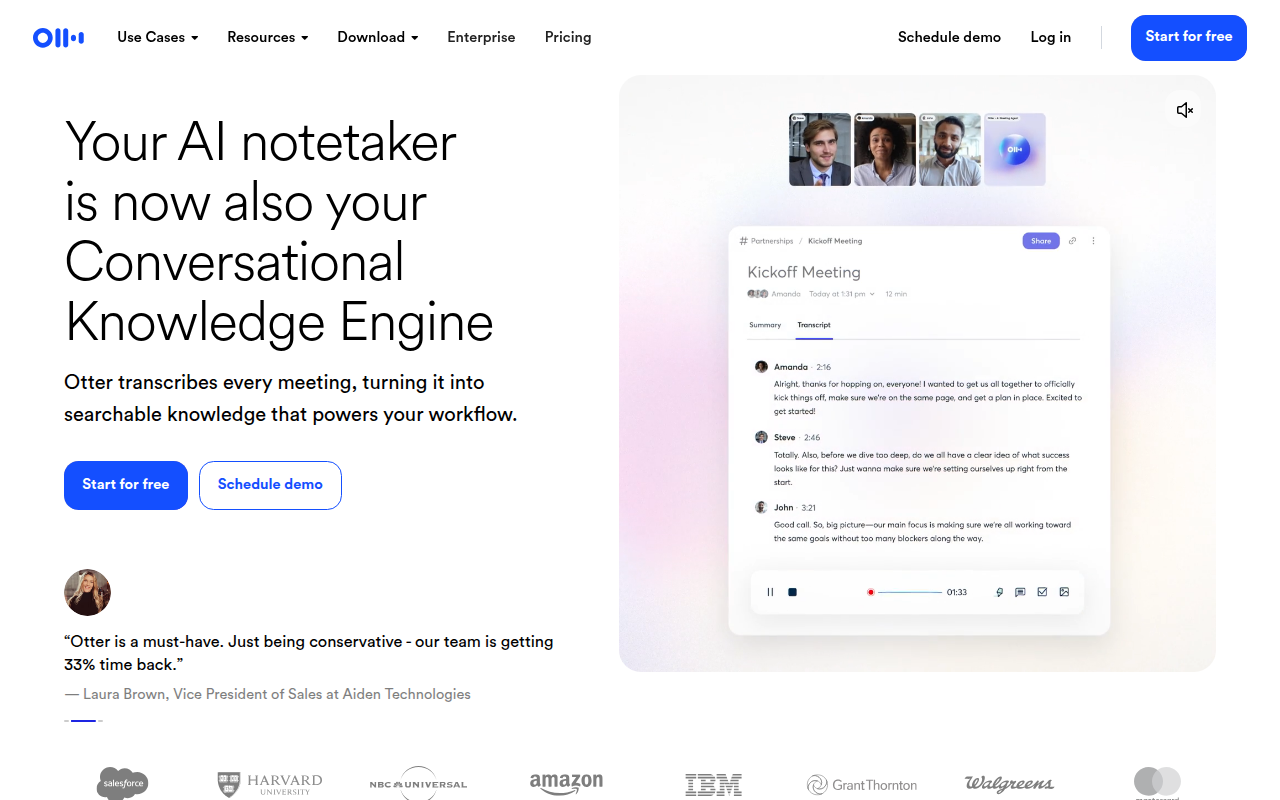
Otter automatically transcribes meetings in real time with speaker labeling, capturing every word so you can focus on the conversation.
After each meeting, Otter generates a smart summary with key points, decisions made, and action items assigned to specific team members.
See the transcript in real time during meetings. Add highlights, comments, and emoji reactions to capture important moments.
Otter automatically joins your scheduled meetings on Zoom, Google Meet, and Microsoft Teams — no manual bot invites needed.
Search across your entire meeting history — find specific topics, decisions, or mentions by keyword, speaker, or date.
Share meeting notes with your team, add comments, assign action items, and keep everyone aligned without additional meetings.
Use meeting summaries and extracted action items to track project follow-up.
Use real-time transcripts and collaborative notes to keep distributed teams aligned.
Use speaker identification and searchable archives to preserve accurate meeting records.
Explore a few similar tools next